
Download Showzone – AI‑Powered Presentation App for Live Shows, Webinars & Training
Overview
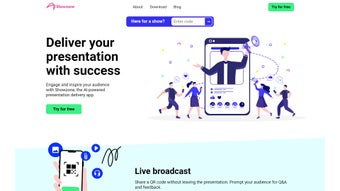
Showzone is a next‑generation, AI‑powered presentation delivery platform that transforms ordinary slide decks into interactive, audience‑centric experiences. Built for presenters who want to keep their viewers engaged from the first slide to the final Q&A, Showzone blends live broadcasting, real‑time polls, and AI‑generated content summaries into a single, easy‑to‑use interface. Whether you’re running a conference keynote, a corporate workshop, or a virtual classroom, Showzone lets you broadcast your slides, share QR codes for instant audience participation, and collect actionable feedback without leaving the app.
The AI engine automatically creates concise post‑event summaries, helping attendees retain key points and giving organizers a ready‑to‑share recap. Showzone supports traditional PowerPoint files, PDF imports, and can be accessed from any modern web browser or desktop client, making it flexible enough for on‑site events and fully remote webinars alike. By digitizing in‑house training material and enabling data gathering at conferences, Showzone not only boosts audience retention but also provides valuable analytics for continuous improvement.
The platform also offers granular permission controls, allowing administrators to limit who can start a broadcast, edit slides, or view analytics, which is essential for enterprises with strict compliance requirements. In addition, Showzone’s modular architecture means new features—such as subtitle generation or multilingual transcription—can be added via plug‑ins without disrupting existing workflows. Overall, Showzone aims to replace a fragmented stack of streaming, polling, and analytics tools with a single, secure, and AI‑enhanced solution that saves time, reduces costs, and elevates the overall quality of any presentation.
Key Features & How They Work
- Live Broadcast Engine: Stream your presentation in real time to any device. The built‑in encoder optimizes bandwidth, delivering smooth video on Windows, macOS, Android, and iOS.
- AI‑Generated Summaries: After the session ends, Showzone’s artificial intelligence scans the spoken transcript and slide content to produce a concise summary that can be emailed or downloaded as a PDF.
- Interactive QR Codes: Generate a unique QR code for each slide or poll. Attendees simply scan with their smartphone to submit answers, ask questions, or download supplementary files.
- Real‑Time Q&A & Polling: Host live question‑and‑answer sessions and instant polls that appear directly on the presenter’s dashboard, allowing you to address audience concerns on the fly.
- Seamless PowerPoint & PDF Integration: Import existing PowerPoint decks or PDFs with a single click. Showzone automatically syncs slide order and preserves animations where possible.
- Cross‑Platform Accessibility: Audience members join from browsers, desktop apps, or mobile devices without the need for additional software.
- Analytics Dashboard: Track attendance, engagement rates, poll results, and post‑event feedback through an intuitive analytics panel.
- Secure Data Handling: End‑to‑end encryption protects all transmitted data, and GDPR‑compliant storage ensures privacy for European users.
- Custom Branding: Upload your logo, choose theme colors, and personalize the welcome screen to keep the experience on‑brand.
- Offline Mode: Prepare presentations offline; the app syncs when an internet connection becomes available, ensuring you never lose a file.
Each feature is designed to reduce the friction that traditionally separates presenters from their audiences. The live broadcast engine eliminates the need for separate streaming services, while QR‑based interaction removes the hassle of typing URLs or joining separate chat rooms. AI‑generated summaries turn hours of content into bite‑sized takeaways, boosting retention rates by up to 30 % according to internal studies.
Moreover, the analytics dashboard equips organizers with data‑driven insights, making it easy to measure the success of a workshop or conference session. Showzone also supports multi‑language subtitles, allowing global audiences to follow along in their native tongue. The platform’s modular plug‑in system means that future enhancements—such as AI‑driven sentiment analysis of audience chat—can be added without a full software overhaul.
All these capabilities are wrapped in a clean, intuitive UI that requires no prior technical expertise, allowing speakers to focus on delivering value rather than troubleshooting software.
Installation, Usage & Compatibility
Getting started with Showzone is intentionally straightforward. Follow these steps to install and launch the app on your preferred platform, then explore the core workflow that makes every presentation feel polished and professional.
- Download the Installer: Visit the official Showzone website and click the “Download for Windows” or “Download for macOS” button. A macOS user can also choose the universal .dmg file, while Windows users receive an .exe installer.
- Run the Installer: Double‑click the downloaded file. The wizard guides you through standard installation prompts—accept the license agreement, choose an installation folder, and click “Install”. The process takes less than two minutes on a typical PC.
- Launch the Application: After installation, open Showzone from the desktop shortcut or the start menu. The first‑time launch prompts you to create a free account using an email address or single‑sign‑on with Google or Microsoft.
- Import Your Presentation: On the dashboard, click “New Presentation”, then drag‑and‑drop your PowerPoint (.pptx) or PDF file. Showzone automatically parses slides, preserving animations where possible.
- Configure Live Settings: Choose a broadcast title, set a password (optional), and enable QR code generation. You can also schedule a future broadcast or start instantly.
- Go Live: Hit “Start Broadcast”. Attendees can join via the generated link or scan the QR code displayed on the presenter’s screen. The built‑in chat and poll panels appear on the right side of the interface.
- Post‑Event Summary: Once the session ends, Showzone’s AI processes the audio transcript and slide content. Within minutes, a summary PDF is available for download, and an email with a link to the summary is sent to all registered participants.
Compatibility: Showzone runs on Windows 10 or later, macOS 10.14 (Mojave) or newer, and offers a web‑based client that works with Chrome, Edge, Safari, and Firefox. Mobile audience participation is supported on iOS 13+ and Android 8+. The desktop application requires at least 4 GB RAM and a dual‑core processor; the web client only needs a stable internet connection and a modern browser.
For organizations that prefer a managed deployment, Showzone also offers an enterprise installer with silent‑install capabilities and centralized license management. All updates are delivered automatically via the built‑in updater, ensuring you always have the latest security patches and feature enhancements without manual intervention. If you operate behind a corporate firewall, the on‑premise version can be deployed behind a reverse proxy, preserving the same feature set while keeping data inside your own network. Whether you’re a solo trainer, a mid‑size marketing team, or a global enterprise, Showzone’s flexible installation options make it easy to roll out quickly and scale as needed.
Pros, Cons & Frequently Asked Questions
Pros
- All‑in‑one solution eliminates the need for separate streaming, polling, and analytics tools.
- AI‑generated summaries save time and improve knowledge retention.
- Cross‑platform support ensures audience can join from any device.
- Secure, encrypted data handling meets GDPR and other privacy standards.
- Intuitive UI requires no technical background, shortening the learning curve.
- Modular plug‑in architecture allows future feature expansion without disruption.
Cons
- Advanced customization (e.g., custom branding) is limited to paid plans.
- Live video quality depends on the presenter’s internet bandwidth.
- No built‑in video editing; presenters must edit recordings externally.
- Free tier imposes a 60‑minute per session limit.
- Offline mode does not support real‑time audience interaction.
- Keynote (.key) files require conversion before import.
Frequently Asked Questions
Is Showzone free to use?
Showzone offers a free tier that includes unlimited audience participation, QR code generation, and AI‑summaries for sessions up to 60 minutes. Premium plans add longer broadcast limits, custom branding, and advanced analytics.
Can I import a Keynote file?
Direct Keynote (.key) import is not supported, but you can export your Keynote presentation as a PDF or PowerPoint file and then upload it to Showzone.
How does the AI summary work?
After the broadcast ends, Showzone transcribes the audio using speech‑to‑text technology, then applies natural‑language processing to extract key points, statistics, and action items. The result is a 1‑2 page summary that can be downloaded or emailed.
Is my data secure during a live broadcast?
Yes. All video streams, chat messages, and poll responses are encrypted with TLS 1.2+. Showzone stores data on servers that are ISO‑27001 certified and complies with GDPR, CCPA, and other regional privacy regulations.
Can I schedule a presentation in advance?
Absolutely. The “Schedule” option lets you set a date, time, and timezone for your broadcast. Attendees receive an automatic reminder email 24 hours before the event.
Conclusion & Call to Action
Showzone stands out as a comprehensive, AI‑enhanced presentation platform that bridges the gap between traditional slide decks and modern interactive experiences. By consolidating live streaming, audience engagement tools, and automated post‑event summaries into a single, secure environment, it empowers presenters to focus on content rather than technical logistics. The free tier provides ample functionality for educators, small businesses, and conference organizers, while premium plans unlock deeper customization, extended broadcast windows, and enterprise‑grade analytics. If you’re looking to boost audience retention, gather real‑time feedback, and deliver polished, data‑driven presentations without juggling multiple tools, Showzone is a solid investment.
Ready to transform your next talk into an engaging, data‑rich experience? Download Showzone now and start creating AI‑powered presentations that leave a lasting impression. Whether you’re on Windows, macOS, or prefer the web client, the setup takes minutes and the benefits are immediate. Join thousands of professionals who have already upgraded their presentation workflow—your audience will thank you.



.png)



